
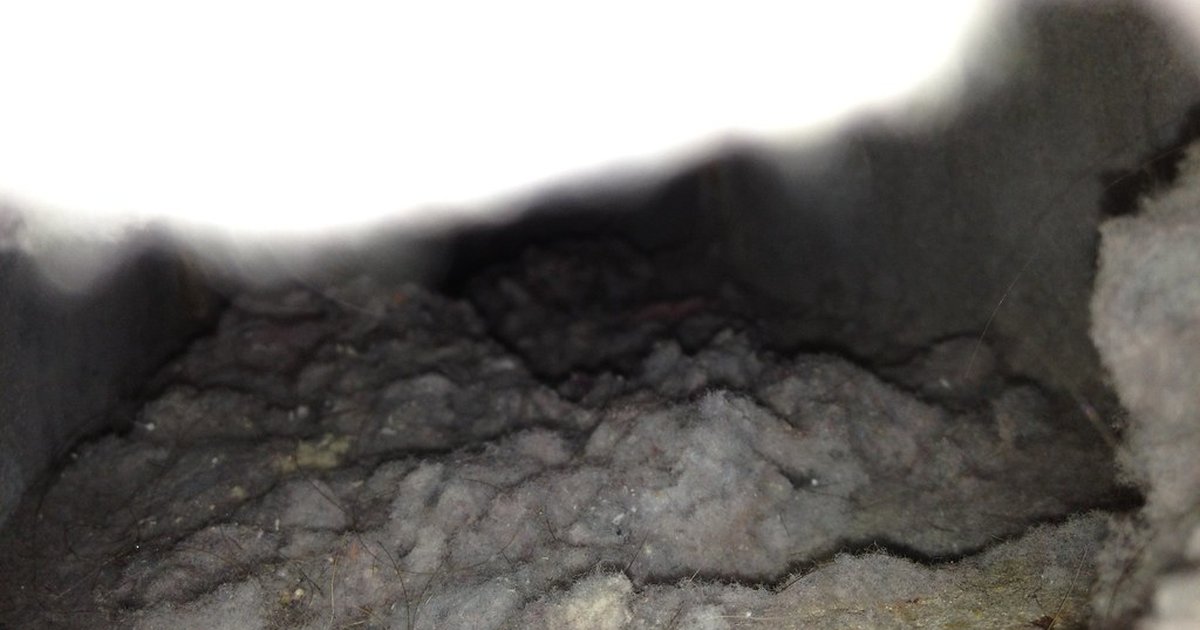
An LG dryer D80 code means the Flow Sense system has found the exhaust duct about 80% blocked. D90 means 90% and D95 means 95%. LG treats them as safety alerts about the venting, and says fixing the airflow usually clears them.
The usual fix is a clean vent and a straightened hose, plus a clean lint filter. If the vent is clear and the code keeps coming back, the dryer itself may need dryer repair in Calgary.
Key Takeaways
- LG Canada lists D80, D90 and D95 (shown in lowercase on the display) as 80%, 90% and 95% exhaust blockage.
- LG USA says D80 on a gas dryer may also mean the dryer isn't getting gas.
- The owner's manual says Flow Sense needs several cycles to reset after you clear the vent. If it's still on after more than five cycles, call for service.
- If the vent is clean and the code persists, LG Canada says the blower fan may be defective.
What the LG dryer D80, D90 and D95 error codes mean
LG Canada's Flow Sense warning page gives these meanings:
| Error code | What LG says it means | Our advice |
|---|---|---|
| d75 | Exhaust duct 75% clogged (LG USA) | Clean the lint filter and check the vent soon |
| d80 | 80% blockage | Clean the lint filter, hose and vent |
| d90 | 90% blockage | Clean the full vent run before more loads |
| d95 | 95% blockage (severe) | Stop using the dryer until the vent is cleared |
LG USA's dryer error code list adds two points. On gas dryers, "a d80 display code may indicate a lack of gas supplied to the unit." Two or four bars on the Flow Sense indicator also mean "the exhaust system is severely restricted."
LG Canada explains the safety side: poor venting can make the dryer shut down to prevent overheating. On one Calgary service call, an LG dryer kept switching itself off because its vent was blocked.
Common causes of the D80 error code
The causes of a D80 error code are usually airflow issues in the venting. Check the lint filter first, then work outward.
- The lint filter. Flow Sense watches the household ductwork, but LG's manual says a filter clogged with lint or softener residue also cuts airflow and greatly lengthens drying.
- Lint in the duct. LG USA says to check for lint at the rear exhaust duct.
- A crushed hose. LG says to check that the hose between the dryer and the wall isn't "crushed, dented, kinked, or compressed."
- A run that's too long. The LG DLEX3900W owner's manual allows 65 ft of 4-inch rigid duct with no elbows, but only 28 ft with four.
- A blocked outdoor hood. LG Canada says the flap should open freely, with lint, debris and nests removed. In a Calgary winter, also check the hood for snow and frost.
Long, complicated vent runs are a pattern we see in newer Calgary homes. We've also found a duct routed into an attic and an outdoor outlet still sealed from installation. Clearing or shortening those runs restored normal drying.
How to fix an LG dryer D80 error code
- Clean the lint filter. Roll the lint off. If it's coated with softener residue, LG says to wash it in warm, soapy water and let it dry.
- Check the hose. Straighten or replace any crushed section. LG Canada says to use rigid or semi-rigid metal duct, not foil or plastic.
- Clean the vent. Brush and vacuum the duct. Our step-by-step guide to a clogged dryer vent covers the whole run.
- Clear the outdoor hood. Remove lint, debris and nests, and check that the flap opens.
- Run several normal cycles. The manual says Flow Sense "requires multiple, consecutive cycles" before the indicator resets, so the error code won't clear after one load.
- On a gas dryer, confirm the house gas shutoff and the dryer's own shutoff are both fully open.
LG Canada says to hire a vent cleaning specialist if the duct is inaccessible or too long to clean yourself. Our dryer vent cleaning Calgary service costs $150 for each 10 ft of duct, including the outer section and exit port where accessible.
When it's the vent and when it's the dryer
If the error code goes away within a few cycles of cleaning the vent, that was the fix. LG's manual says to clean vent ductwork at least once a year, and our tips to keep a dryer efficient cover the routine.
Suspect the dryer when:
- The warning is still on after more than five cycles with a clean vent. That's when the manual says to call for service.
- The vent was replaced or cleaned and Flow Sense still warns. LG Canada says "it is possible that the dryer blower fan is defective."
- The dryer runs but doesn't heat, or shows another error code alongside D80. That can point to a fault in the appliance, or to its power or gas supply.
Some LG models, including the DLEX3900W, have a built-in duct check. Its manual says to press and hold Signal and Temp., press Power, then Start/Pause. The dryer heats and measures drum temperatures, and if the Flow Sense light is still off when the cycle ends, the exhaust system is adequate. Button sequences vary, so check your own manual.
Our Red Seal appliance technicians can find the fault. The $100 diagnostic is credited toward labour if you go ahead. Typical all-in dryer repairs run $160-400 before GST (see our rates), with parts quoted before work starts.
LG dryer D80 questions
Where is the flow sensor on my LG dryer? It isn't a separate part an owner cleans or replaces. LG's manual describes Flow Sense as a sensing system that detects restrictions in the household ductwork, and its duct check works by measuring drum temperatures. That's why cleaning the vent is the fix.
What does the D95 error code mean on an LG dryer, and how can I fix it? D95 means a 95% exhaust blockage, the most severe level. Stop drying loads and clean the whole vent run, including the outdoor hood.
What does the D90 error code mean on an LG dryer? A 90% blockage. Clean the lint filter, check the hose, clean the vent run and clear the outdoor hood.
Is there a reset button on LG dryers? LG USA's error code page lists a control reset rather than a button: with the dryer unplugged, press and hold Start/Pause for 5 seconds, then plug it back in.
Why does my LG dryer say D80 but there's no blockage? The error code may simply need more cycles to reset after cleaning. A gas dryer may not be getting gas, a hidden section of duct may still be restricted, or the blower fan may be failing.
How do I override the D90 code on an LG dryer? LG's support pages give no override for D90 or D95; they say to clear the airflow. For a D80 notice that stays on after a thorough cleaning, LG Canada's French-language support article says most models let you press Time Dry and Signal together for 3 seconds. "OFF" confirms the notice is disabled, and repeating the press turns it back on ("ON"). Only do this once the vent is truly clear.
If the error code is still showing after a clean vent, book online or call 587-816-2400 for a same-day or next-day visit in Calgary and surrounding towns.
LG support pages and the DLEX3900W manual were checked in October 2026.
Photo: Lint covers mouth of ribbed duct by carpe_diem_bh, CC BY 2.0. Cropped.