
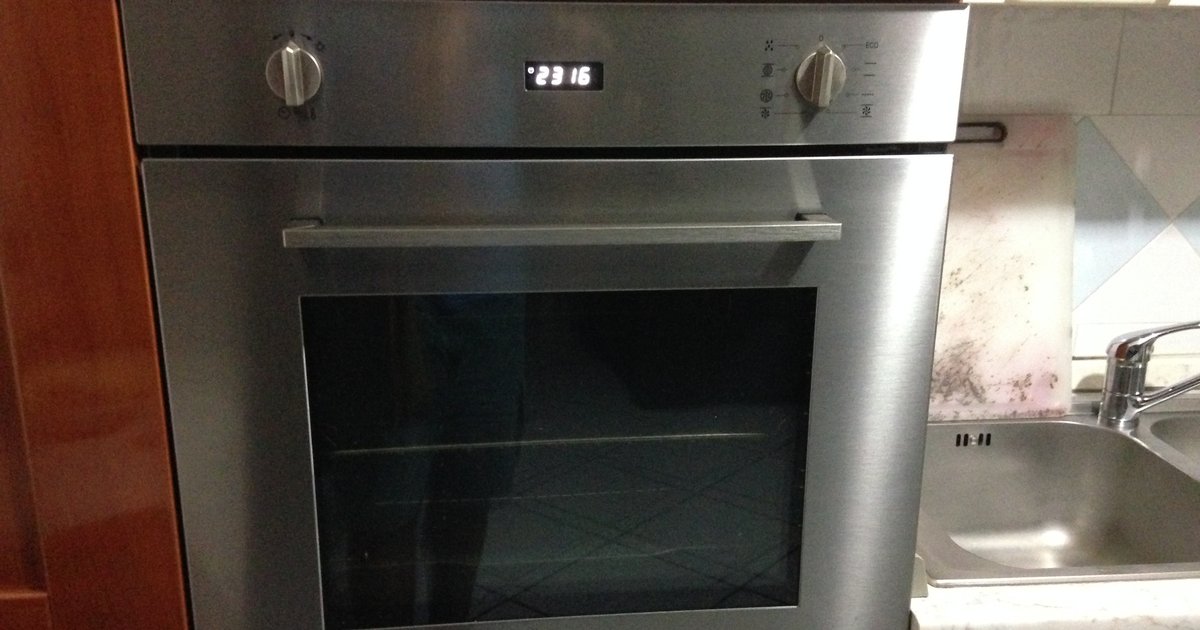
A KitchenAid oven temperature problem usually shows up as a long preheat, food that comes out underdone or burnt, or no heat at all. Check the settings, the door and the power supply first. If those are fine, calibrate the oven. If it still runs hot or cold, a part such as the temperature sensor or bake element needs testing.
The fixes below come from KitchenAid’s support pages. If you’d rather hand the job off, we provide Calgary oven repair for KitchenAid wall ovens and ranges.
Key Takeaways
- KitchenAid says an oven with a visible bake element should reach 350°F in 12-15 minutes, give or take 5. A hidden element takes about 20.
- KitchenAid’s calibration methods adjust the oven by up to 30°F either way.
- KitchenAid says not to check oven temperature with a thermometer, because the oven cycles on and off.
Common causes of a KitchenAid oven temperature problem
Why isn’t my oven getting to temperature? Usually a control setting, heat escaping, low voltage, or a failed sensor, element or igniter. Rule out the free checks first.
Control settings
Pick Bake, not Warm or Proof, and set the temperature you want. KitchenAid’s page on an electric oven that powers on but won’t heat adds three control issues:
- Delayed start: Bake won’t begin until the start time. Cancel and restart it.
- Control Lock: usually released by holding the button for 3 seconds.
- Demo mode: the oven “will not operate” while the display runs a feature presentation.
A display reading Sab or 5Ab means Sabbath mode, where only Bake works and the display won’t show temperature changes.
Heat escaping or blocked airflow
On some models the elements won’t come on while the door is open. Each opening lets heat out. Don’t line a whole rack or the oven bottom with foil or a silicone mat: KitchenAid says it blocks airflow, and on gas models it can block gas flow to the burner.
Power and gas supply
An electric oven on 208 volts preheats more slowly than one on 240. KitchenAid says an oven in a building with an elevator is installed on 208V, so expect slower preheats in a condo tower. After a new installation, check that the terminal wires match by colour and the terminal-block nuts are tight.
For a gas oven that won’t heat while the cooktop works, check the main gas valve and the shut-off lever on the pressure regulator. The pressure regulator is the fitting at the back of the range that sets the gas pressure for the burners. With that lever off, gas reaches the cooktop but not the oven. An overloaded storage drawer can also interfere with the igniter.
Why won’t my KitchenAid oven preheat?
It may just be slower than you expect. KitchenAid’s long preheat page gives 12-15 minutes to 350°F (plus or minus 5) for a visible bake element with all racks in, and about 20 minutes for a hidden element. A hidden bake element sits under the oven floor panel, so you won’t see it glow.
Remove racks you aren’t using and keep the door shut until the preheat tone. If yours takes well past those times or never finishes, work through the checks above, then the parts below. Our guide to an oven not heating properly has more general checks.
How to calibrate a KitchenAid oven that runs hot or cold
If food is consistently over- or underdone, calibration is the first fix for a KitchenAid oven temperature problem. Calibration is a setting that offsets the oven’s temperature by a fixed number of degrees, so the control matches what the oven actually delivers. KitchenAid says that “as ovens get older, the oven temperature can shift.” Its calibration page lists three methods. Try each until one works on your control:
- If there’s a Settings, Options or Tools button, find temperature or oven calibration and follow the prompts.
- Hold the Temp/Time down arrow for 5 seconds. If the display shows “0°F CAL” or “00,” adjust in 5°F steps, from -30°F to +30°F.
- Hold BAKE for 5 seconds. If it shows “00,” adjust in 10°F steps within the same range.
Press START to save or Cancel to exit. Skip the oven thermometer. KitchenAid says the oven cycles on and off to hold temperature and may run “slightly hot or cool at any point in time.” Judge by results with a recipe you know.
What we see on Calgary jobs
Our technicians see a lot of “new oven runs cool” calls, mostly on the Frigidaire and Electrolux units we service most often. Most are fixed without parts by setting the temperature offset, which ships at 0°, to match how the owner bakes. When calibration doesn’t bring the oven into line, the next step is testing the control board and the oven temperature sensor. On several ranges, replacing both brought bake and broil back to temperature.
Temperature sensor, bake element, igniter and convection fan issues
When settings are right and calibration doesn’t help, the problem is likely a part. For the F2 code on wall ovens, KitchenAid says there “may be a problem with the Oven Temperature Sensor, the Control, or the associated wiring.” A technician will test:
- Temperature sensor: the probe inside the oven that reports its temperature to the control board.
- Bake and broil elements: a burned-out bake element leaves Bake with little or no heat.
- Igniter: on a gas oven it lights the burner, and Whirlpool notes it clicks “several times until the flame is detected.”
- Convection fan: KitchenAid says it should run during preheat in both convection and regular modes, and stop when the door opens. A fan that never runs points to the fan motor or its control.
- Control board: switches the elements or gas on and off.
These tests involve 240V wiring or a gas line, so turn off the breaker, and the gas supply on a gas model, before removing any panel. To hand it off, book oven repair for a wall oven or stove repair for a range.
How do I reset my KitchenAid oven?
To clear an error code such as F2, KitchenAid’s reset steps are to turn off the oven’s breaker for one minute, turn it back on, then watch for a minute to make sure the error code doesn’t return. If the breaker keeps tripping or a fuse keeps blowing, KitchenAid says to call a licensed electrician.
Other KitchenAid oven questions
What are some common problems with KitchenAid ovens? KitchenAid’s range support section groups them as door and drawer issues, the oven light, an oven not working, racks, temperature too hot or too cold, and new-oven smells. If you also own a Bosch, our guide to Bosch oven repair problems covers that brand’s error codes and fixes.
What is the average lifespan of a KitchenAid oven? KitchenAid’s support pages don’t give one. A National Association of Home Builders study, as summarised by 2-10 Home Buyers Warranty, puts gas and electric ranges at about 15 years.
How much does it cost to replace a KitchenAid oven heating element? It depends on the element your model uses, whether it’s hidden under the oven floor, and labour. See our rates, or call with your model number for a quote.
If your KitchenAid oven temperature problem means it runs far hotter than the setting, or it keeps heating after you turn it off, stop using it until it’s checked. Our oven safety tips cover the basics.
Photo: Forno elettrico 2 by Antonio Mette, CC BY-SA 4.0. Cropped.