
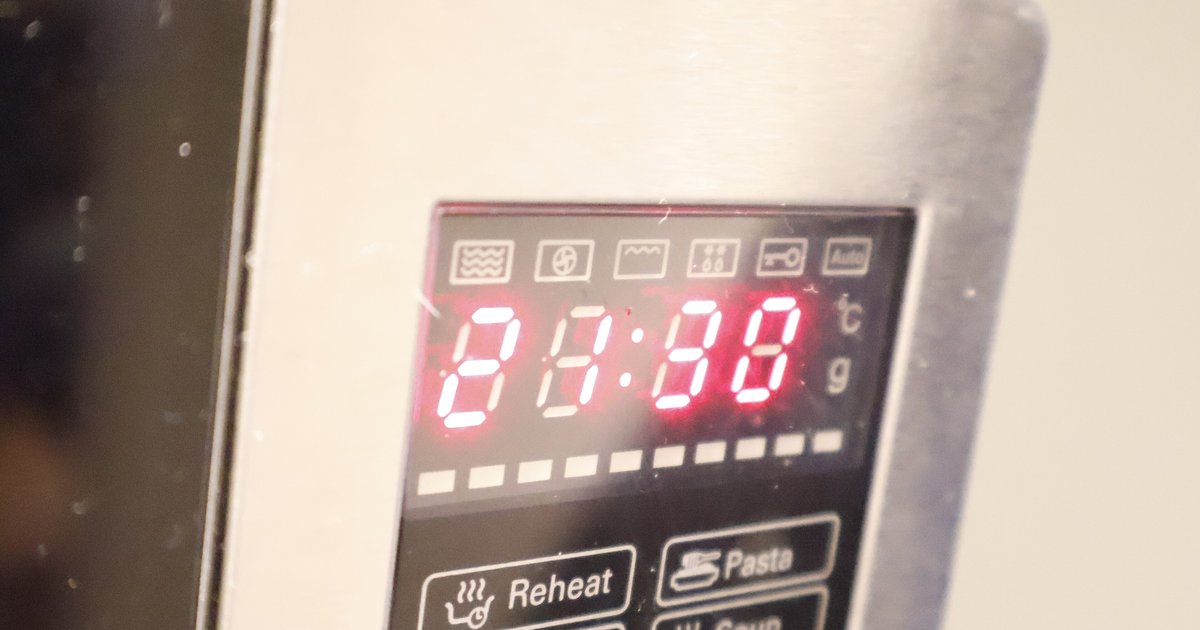
A microwave not working at all, with no display, no light and no sound, often has a simple cause outside the oven: a tripped breaker, a dead outlet or an overheated unit that needs to cool. If it lights up but won’t start, check the door, Control Lock and demo mode. If those are fine, don’t open the case. Inside is a high-voltage capacitor that can stay charged after the oven is unplugged.
This guide covers a microwave that won’t turn on, won’t start or has a blank display. If yours runs but leaves food cold, see our guide to a microwave that runs but doesn’t heat. When the cause is inside the cabinet, our technicians handle countertop, over-the-range and built-in microwave repair across Calgary.
Key Takeaways
- Test the outlet with another small appliance and check the breaker before suspecting the microwave. LG, Samsung and Frigidaire all list these checks.
- A microwave that overheated can shut itself off. GE and Samsung both say to give it about 30 minutes before trying again.
- A display that lights up but won’t start points first to the door, Control Lock, the kitchen timer or demo mode.
- GE warns that the internal high-voltage capacitor can stay charged after unplugging, and for that reason gives no do-it-yourself repair advice for microwaves.
Microwave not working at all? Check the power first
If there’s no display, no light and no sound, work through these checks in order:
- Test the outlet. Plug a lamp or another small appliance into the same outlet. LG says that if the test device works, the problem is in the microwave and it needs service.
- Check the breaker or fuse panel. Reset a tripped breaker or replace a blown household fuse. Samsung says that if the breaker trips again while the microwave is unplugged, the fault is in the home’s wiring and needs a licensed electrician.
- Reset a GFCI outlet if the microwave is plugged into one. Frigidaire recommends a dedicated, non-GFCI circuit with no other appliances on it.
- Look at the cord and plug for cracks, fraying or chafing, and plug straight into the wall. Samsung does not recommend extension cords, GFI outlets or surge protectors with home appliances.
- Let it cool. GE says a microwave can shut off from overheating after long cooking times or when its vents are blocked. Clear the vents and wait about 30 minutes. Samsung gives the same advice.
The outlet is worth testing properly. Before calling a “dead” microwave faulty, our technicians check the supply first. In one Calgary apartment, the microwave wasn’t getting a steady 120 volts from its socket and worked normally once it was plugged into another one.
After a power cut, some GE models show “PF”, “888” or “8888”. GE says touching CLEAR or CLEAR/OFF cancels the code, and then you can reset the clock.
If the outlet works and the microwave is still dead after it has cooled, the problem is inside the unit. LG’s microwave guide says that when there’s power and it still won’t start, “the fuse or internal wiring might be the issue,” and that’s a job for a technician.
Display works but the microwave won’t start
A lit display means the oven has power. When it won’t run a cycle, check these before booking a repair:
- The door. Open it and close it firmly. GE notes that if a dish touches the door, it may not be fully closed even when it looks shut. On a new unit, Whirlpool says to remove all packing material, including any spacer inside the door.
- The door timeout. Whirlpool says that if about 5 minutes pass after the door is closed without a start, “door” shows in the display. Open and close the door, then start the cycle.
- Control Lock. It disables the touch pads. Your manual shows the button combination to release it.
- Timer instead of cook. The kitchen timer counts down without running the oven. Whirlpool says to touch CANCEL while the timer is active, then start a cook cycle. The same page says to make sure demo mode is off.
- A longer reset. For a microwave that won’t start, GE suggests unplugging it for 30 minutes, then trying again.
Blank display or a control panel that won’t respond
A blank screen doesn’t always mean a fault. GE says some models have a Display On/Off pad or a setting that turns the display off. Others have a Power Saver feature that hides the clock one minute after use. Check the owner’s manual for your model.
If the panel is lit but the pads don’t respond, Samsung Canada suggests three steps:
- wipe the panel with a damp microfibre cloth and let it dry completely
- press the pads with a bare finger, because many panels are capacitive
- unplug the microwave for a full minute, then plug it back in
GE gives a shorter reset: unplug the microwave or switch off its breaker for 30 seconds, then reprogram it. If the panel acts on its own, for example a pad behaving as if it’s stuck down, Samsung Canada says to request service. A touch panel that stays unresponsive after these steps usually needs a new panel, which is a technician’s job.
Microwave still not working? Fuses, door switches and the control board
When the outlet is live and the microwave is still not working, the cause is almost always one of a few parts inside the cabinet. All of them sit next to the high-voltage circuit, so a technician tests them with the case off and the capacitor discharged.
| Symptom | Common cause | Who checks it |
|---|---|---|
| No display, outlet tested fine | Blown main fuse, often after a door switch failed | Technician |
| Dead after long cooking, comes back after cooling | Overheating, blocked vents or a thermal cutout | You first, then a technician |
| Trips the breaker or blows the fuse when the door closes | Faulty door switch or monitor switch | Technician |
| Display lit, pads don’t respond | Touch panel or control board | You (reset), then a technician |
| Dead in one outlet, works in another | House wiring or the outlet | You, or an electrician |
Blown main fuse
The main fuse is a small ceramic or glass fuse inside the cabinet that cuts all power to the microwave when too much current flows. A blown fuse leaves the oven completely dead: no clock, no light, no fan. The fuse itself is cheap, but it rarely blows on its own. On Calgary service calls, a blown fuse in a built-in microwave usually means a door switch failed first, so our technicians replace the door interlock and switches together with the fuse.
Door switches and the monitor switch
A door switch is a small switch behind the door latch that tells the microwave the door is shut. The FDA says microwave ovens must have two independent interlock systems that stop microwave production when the door opens, plus a monitoring system that stops the oven if one or both fail. The monitor switch is that last line of defence. If the other switches fail in the “on” position, it shorts the circuit on purpose and blows the main fuse.
These signs point to a door switch or door latch problem:
- The display works, but the oven won’t start with the door firmly closed.
- The microwave trips the breaker or goes dead right after the door is closed.
- The fan or turntable keeps running after the door is opened (the light coming on is normal). Panasonic says to check for demo mode first, and if it’s off, the unit needs service.
- The oven starts on its own. Samsung says to clean the door and latch, inspect the latch for damage, and request service if any part is damaged.
If a microwave keeps operating with the door open, the FDA says to stop using it. Don’t use one whose door doesn’t close firmly or is bent, warped or damaged either.
Thermal fuse or thermal cutout
A thermal fuse or thermal cutout is a heat sensor that switches the microwave off when part of it overheats. Some reset once they cool, which is why the 30-minute wait above can bring a microwave back. Others open for good and have to be replaced. If yours keeps shutting off mid-cycle, the cause of the heat (blocked vents, a failing fan or a magnetron running hot) needs checking as well as the cutout.
Control board
The control board is the circuit board behind the keypad that runs the display, the timer and the relays that switch the oven on. It is usually the last part a technician suspects, after the supply, the fuses and the switches have tested fine.
Safety: why the high-voltage capacitor makes internal repair dangerous
Unplugging a microwave doesn’t make the inside safe. GE says there is “an internal high voltage capacitor which can hold a high voltage charge even after the Microwave has been unplugged.” For that reason GE offers “no do-it-yourself repair advice on Microwave Ovens.”
The door switches, fuses, magnetron and control board sit inside that same cabinet, so testing any of them means taking the case off. Health Canada advises hiring qualified service technicians for all adjustments and repairs, and never disabling or tampering with the safety interlocks. For a homeowner, the safe checks are the ones outside the case: power, breaker, door, settings and cleaning.
Turntable or light stopped working
For a tray that won’t turn, work through GE’s turntable checklist: the tray is centred, right side up and seated on its roller ring, nothing is stuck under the wheels, you pressed a cook function rather than the timer, and the turntable on/off pad (if your model has one) is on. Samsung adds cleaning the turntable, roller ring and oven floor (our guide on cleaning a microwave covers that). If it still won’t turn, LG says the motor underneath may need replacement.
On a countertop model, GE says the interior light isn’t consumer replaceable, because reaching it means taking the microwave apart. Some over-the-range models have a light you can change yourself. If yours does, the steps are in the owner’s manual. Unplug the microwave first.
Microwave not working: common questions
How do you fix a microwave that stopped working? If your microwave is not working at all, test the outlet, reset the breaker or GFCI, and let the oven cool for 30 minutes. Then close the door firmly, turn off Control Lock and demo mode, and unplug it for a reset. If none of that works, the fault is inside the unit, usually a fuse, door switch or thermal cutout, and needs a technician.
Is it worth fixing a broken microwave? It depends on the type, its age and the part. Our rates page puts typical microwave repairs at $160 to $400, including the $100 diagnostic, parts and labour, before GST. A door switch and fuse on a built-in or over-the-range model is usually worth fixing. For an inexpensive countertop unit, parts and labour can cost more than a new one, and our technicians will say so. Our guide to how long microwaves last walks through the repair-or-replace decision.
What are the symptoms of a bad microwave door switch? The oven won’t start with the door shut, it blows its fuse or trips the breaker when the door closes, or the fan keeps running after the door opens. See the door switch section above.
Why is my Samsung microwave running but not heating food? It may be in demo mode. Samsung’s test is to set a cook time and start it: in demo mode the timer counts down much faster than usual. On models with an Options or My Settings button, demo mode is menu option 6, and setting it to 2 turns it off.
What would cause a microwave to run but not heat? A door that isn’t fully shut, demo mode, or the timer used instead of a cook cycle. Beyond those, it’s an internal fault such as the magnetron or high-voltage diode. Our microwave not heating guide covers that problem in full.
Is there a reset button on a Samsung microwave? The Samsung support pages we checked don’t describe a reset button. The reset they give is to unplug the microwave, or switch off its breaker, for a full minute and then restore power.
Microwave still not working after these checks? Book microwave repair in Calgary or call 587-816-2400, and a technician will diagnose it safely.
Photo: Microwave, 1, By DM by Kent Madsen, CC BY-SA 2.0. Cropped.